
BLOG
Python List sort() Method: Complete Guide with Examples

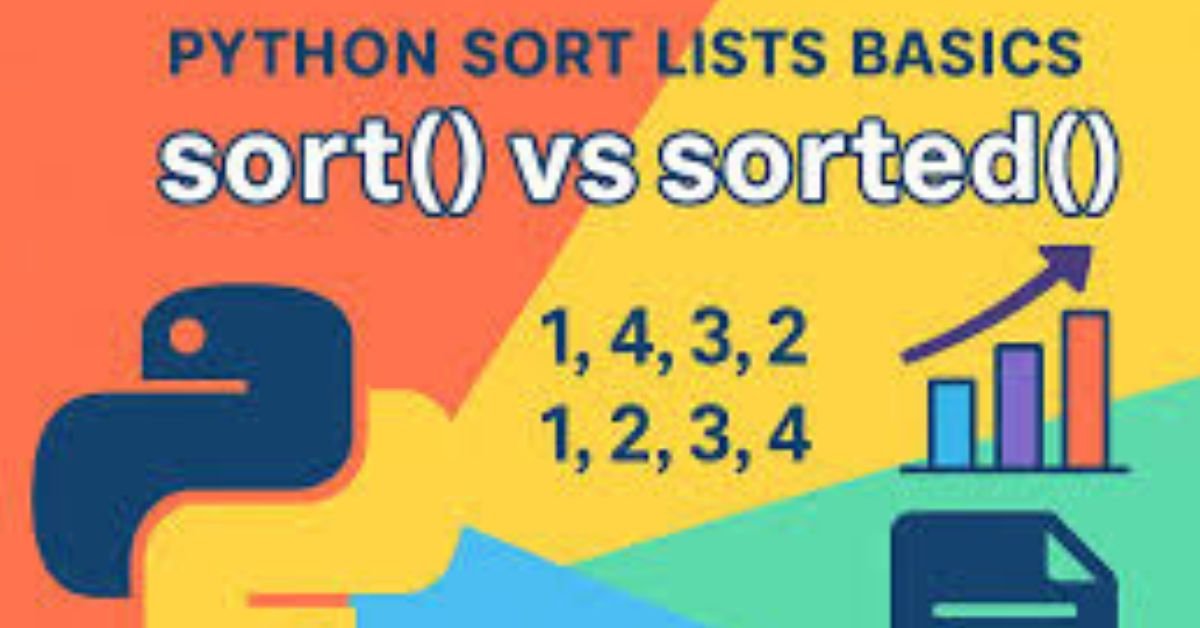
Python List sort Sorting data is a fundamental operation in programming, and Python makes it remarkably simple with the built-in list.sort() method. Whether you’re organizing user data, processing API responses, or preparing datasets for analysis, understanding how to sort lists efficiently is essential. The sort() method provides an in-place sorting solution that modifies your list directly, offering both simplicity and performance. In this comprehensive guide, you’ll learn the syntax, parameters, advanced techniques, and best practices for sorting Python lists. We’ll explore everything from basic numerical and alphabetical sorting to complex custom sorting with lambda functions, performance optimization, and common pitfalls to avoid.
Understanding Python’s sort() Method Basics
The list.sort() method is Python’s primary tool for sorting lists in-place. Unlike functions that return new sorted data, sort() directly modifies the original list, which can be more memory-efficient for large datasets.
sort() Method Syntax and Parameters
The basic syntax for the sort method is straightforward:
list.sort(key=None, reverse=False)
Parameters:
- key (optional): A function that takes one argument and returns a value for sorting comparison. Default is None.
- reverse (optional): A boolean value. When True, sorts in descending order. Default is False (ascending).
Important: The sort() method returns None and modifies the list in-place. This means you cannot chain it with other operations or assign its result to a variable expecting a sorted list.
Basic Sorting Examples
Sorting Numbers in Ascending Order:
numbers = [42, 13, 7, 99, 3, 21] numbers.sort() print(numbers) # Output: [3, 7, 13, 21, 42, 99]
Sorting Numbers in Descending Order:
numbers = [42, 13, 7, 99, 3, 21] numbers.sort(reverse=True) print(numbers) # Output: [99, 42, 21, 13, 7, 3]
Sorting Strings Alphabetically:
fruits = [‘banana’, ‘apple’, ‘cherry’, ‘date’] fruits.sort() print(fruits) # Output: [‘apple’, ‘banana’, ‘cherry’, ‘date’]
Note that string sorting is case-sensitive by default, with uppercase letters coming before lowercase in standard ASCII ordering.
Advanced Sorting Techniques
The real power of Python’s sort() method comes from its key parameter, which allows you to define custom sorting logic for complex data structures and specialized requirements.
Using the key Parameter Effectively
The key parameter accepts a function that extracts a comparison value from each element.
Sorting Strings by Length:
words = [‘Python’, ‘is’, ‘awesome’, ‘for’, ‘programming’] words.sort(key=len) print(words) # Output: [‘is’, ‘for’, ‘Python’, ‘awesome’, ‘programming’]
Case-Insensitive String Sorting:
names = [‘Alice’, ‘bob’, ‘Charlie’, ‘david’] names.sort(key=str.lower) print(names) # Output: [‘Alice’, ‘bob’, ‘Charlie’, ‘david’]
Sorting Tuples by Specific Element:
students = [(‘Alice’, 85), (‘Bob’, 92), (‘Charlie’, 78)] students.sort(key=lambda x: x[1], reverse=True) print(students) # Output: [(‘Bob’, 92), (‘Alice’, 85), (‘Charlie’, 78)]
Lambda Functions for Custom Sorting
Lambda functions provide inline, anonymous functions perfect for custom sorting logic without defining separate functions.
Sorting Dictionaries by Specific Key:
users = [ {‘name’: ‘Alice’, ‘age’: 30}, {‘name’: ‘Bob’, ‘age’: 25}, {‘name’: ‘Charlie’, ‘age’: 35} ] users.sort(key=lambda user: user[‘age’]) print(users) # Output: [{‘name’: ‘Bob’, ‘age’: 25}, {‘name’: ‘Alice’, ‘age’: 30}, {‘name’: ‘Charlie’, ‘age’: 35}]
Sorting by Multiple Criteria:
people = [ (‘Alice’, 30, ‘Engineer’), (‘Bob’, 25, ‘Designer’), (‘Charlie’, 30, ‘Designer’), (‘David’, 25, ‘Engineer’) ] # Sort by age, then by profession people.sort(key=lambda x: (x[1], x[2])) print(people)
When sorting by tuples, Python compares element-by-element from left to right, making multi-level sorting straightforward.
Sorting Complex Data Structures
Sorting Lists of Dictionaries with Nested Keys:
products = [ {‘name’: ‘Laptop’, ‘specs’: {‘price’: 999}}, {‘name’: ‘Mouse’, ‘specs’: {‘price’: 25}}, {‘name’: ‘Keyboard’, ‘specs’: {‘price’: 75}} ] products.sort(key=lambda p: p[‘specs’][‘price’]) print([p[‘name’] for p in products]) # Output: [‘Mouse’, ‘Keyboard’, ‘Laptop’]
Custom Object Sorting:
class Employee: def __init__(self, name, salary): self.name = name self.salary = salary employees = [ Employee(‘Alice’, 75000), Employee(‘Bob’, 65000), Employee(‘Charlie’, 85000) ] employees.sort(key=lambda e: e.salary, reverse=True) for emp in employees: print(f'{emp.name}: ${emp.salary}’)
sort() vs sorted(): When to Use Which
Python provides two primary sorting methods: list.sort() and sorted(). Understanding when to use each is crucial for writing efficient, readable code.
Key Differences Comparison
| Aspect | list.sort() | sorted() |
| Modifies original | Yes (in-place modification) | No (creates new list) |
| Return value | None | New sorted list |
| Works on | Only lists | Any iterable (lists, tuples, strings, etc.) |
| Memory usage | Lower (O(1) auxiliary space) | Higher (O(n) creates copy) |
| Use case | When original list no longer needed | When original must remain unchanged |
Decision Guidelines: Which Method to Choose
Use list.sort() when:
- You want to modify the list in-place and don’t need the original order
- Memory efficiency is important (working with large datasets)
- You’re already working with a list object
- The sorted list is the final result you need
Use sorted() when:
- You need to preserve the original list
- You’re working with non-list iterables (tuples, strings, dictionaries)
- You want to chain operations or use the result in expressions
- You’re creating temporary sorted views of data
Example demonstrating the difference:
original = [3, 1, 4, 1, 5] # Using sort() – modifies original list1 = original.copy() list1.sort() print(f’sort(): {list1}’) # [1, 1, 3, 4, 5] # Using sorted() – creates new list list2 = sorted(original) print(f’sorted(): {list2}’) # [1, 1, 3, 4, 5] print(f’original: {original}’) # [3, 1, 4, 1, 5] – unchanged
Common Errors and Troubleshooting
Understanding common pitfalls helps you avoid frustrating debugging sessions and write more robust code.
TypeError with Mixed Data Types
One of the most common errors occurs when trying to sort lists containing mixed data types:
# This raises TypeError mixed = [3, ‘apple’, 42, ‘banana’] mixed.sort() # TypeError: ‘<‘ not supported between instances of ‘str’ and ‘int’
Solution: Ensure consistent data types or use a custom key function:
# Solution 1: Convert all to strings mixed = [3, ‘apple’, 42, ‘banana’] mixed.sort(key=str) print(mixed) # [3, 42, ‘apple’, ‘banana’] # Solution 2: Sort with type priority mixed = [3, ‘apple’, 42, ‘banana’] mixed.sort(key=lambda x: (isinstance(x, str), x)) print(mixed) # [3, 42, ‘apple’, ‘banana’]
Handling Case-Sensitive String Sorting
By default, Python sorts strings case-sensitively, which can produce unexpected results:
names = [‘alice’, ‘Bob’, ‘charlie’, ‘David’] names.sort() print(names) # [‘Bob’, ‘David’, ‘alice’, ‘charlie’] – uppercase first
Solution: Use key=str.lower for case-insensitive sorting:
names = [‘alice’, ‘Bob’, ‘charlie’, ‘David’] names.sort(key=str.lower) print(names) # [‘alice’, ‘Bob’, ‘charlie’, ‘David’] – alphabetical
Avoiding Common Pitfalls
Mistake: Assigning sort() result
# WRONG – sort() returns None numbers = [3, 1, 4] sorted_numbers = numbers.sort() # sorted_numbers is None! # CORRECT numbers = [3, 1, 4] numbers.sort() # or use sorted() if you need the result sorted_numbers = sorted(numbers)
Mistake: Modifying list during iteration
# WRONG – undefined behavior numbers = [3, 1, 4, 1, 5] for num in numbers: numbers.sort() # Don’t modify while iterating # CORRECT – sort first, then iterate numbers = [3, 1, 4, 1, 5] numbers.sort() for num in numbers: print(num)
Mistake: Ignoring stable sort properties
Python’s sort is stable, meaning equal elements maintain their relative order. This is useful for multi-level sorting:
# Sort by secondary criterion first, then primary data = [(‘A’, 2), (‘B’, 1), (‘A’, 1)] data.sort(key=lambda x: x[1]) # Sort by second element data.sort(key=lambda x: x[0]) # Then by first – maintains order for equal first elements print(data) # [(‘A’, 1), (‘A’, 2), (‘B’, 1)]
Performance and Best Practices
Understanding the performance characteristics of sort() helps you make informed decisions when working with large datasets.
Time and Space Complexity
Python uses the Timsort algorithm, a hybrid sorting algorithm derived from merge sort and insertion sort:
- Time Complexity: O(n log n) in average and worst cases, O(n) in best case (already sorted data)
- Space Complexity: O(1) auxiliary space for list.sort() (in-place), O(n) for sorted() (creates new list)
- Stability: Yes – equal elements maintain their relative order
Timsort excels with real-world data that often contains ordered subsequences, making it particularly efficient for partially sorted lists.
Optimization Tips for Large Datasets
1. Pre-compute expensive key functions
# SLOW – calls expensive_function for each comparison items.sort(key=lambda x: expensive_function(x)) # FASTER – pre-compute keys keyed_items = [(expensive_function(x), x) for x in items] keyed_items.sort() items = [x for k, x in keyed_items]
2. Use built-in functions when possible
# SLOWER – lambda creates overhead words.sort(key=lambda x: len(x)) # FASTER – direct function reference words.sort(key=len)
3. Consider alternative data structures
For frequently sorted data or priority-based operations, consider using heapq (priority queue) or bisect (maintaining sorted lists) modules for better performance.
4. Benchmark with realistic data
import timeit # Test different approaches setup = “data = list(range(10000, 0, -1))” time1 = timeit.timeit(‘data.sort()’, setup=setup, number=1000) print(f’sort() time: {time1:.4f} seconds’)
Real-World Applications
Let’s explore practical scenarios where sort() proves invaluable in production code.
Data Processing Examples
Sorting API Response Data:
# Process user data from API users_data = [ {‘username’: ‘john_doe’, ‘score’: 850, ‘created’: ‘2024-01-15’}, {‘username’: ‘jane_smith’, ‘score’: 920, ‘created’: ‘2024-02-20’}, {‘username’: ‘bob_jones’, ‘score’: 750, ‘created’: ‘2024-01-10’} ] # Sort by score (descending) for leaderboard users_data.sort(key=lambda u: u[‘score’], reverse=True) # Sort by creation date for activity timeline users_data.sort(key=lambda u: u[‘created’])
Processing Log Files by Timestamp:
from datetime import datetime logs = [ {‘timestamp’: ‘2024-02-03 14:30:00’, ‘level’: ‘ERROR’, ‘message’: ‘Connection failed’}, {‘timestamp’: ‘2024-02-03 14:25:00’, ‘level’: ‘INFO’, ‘message’: ‘Starting service’}, {‘timestamp’: ‘2024-02-03 14:28:00’, ‘level’: ‘WARNING’, ‘message’: ‘High memory usage’} ] # Sort chronologically logs.sort(key=lambda log: datetime.strptime(log[‘timestamp’], ‘%Y-%m-%d %H:%M:%S’)) # Or sort by severity (custom order) severity_order = {‘INFO’: 0, ‘WARNING’: 1, ‘ERROR’: 2} logs.sort(key=lambda log: severity_order[log[‘level’]], reverse=True)
Algorithm Implementation Use Cases
Preparing Data for Binary Search:
import bisect # Binary search requires sorted data product_ids = [105, 203, 89, 410, 67, 234] product_ids.sort() # Now can use binary search efficiently target = 203 index = bisect.bisect_left(product_ids, target) if index < len(product_ids) and product_ids[index] == target: print(f’Found at index {index}’)
Multi-level Sorting in Data Analysis:
# Sales data analysis sales = [ {‘region’: ‘West’, ‘category’: ‘Electronics’, ‘amount’: 5000}, {‘region’: ‘East’, ‘category’: ‘Electronics’, ‘amount’: 6000}, {‘region’: ‘West’, ‘category’: ‘Clothing’, ‘amount’: 3000}, {‘region’: ‘East’, ‘category’: ‘Clothing’, ‘amount’: 4000} ] # Sort by region, then category, then amount (descending) sales.sort(key=lambda x: (x[‘region’], x[‘category’], -x[‘amount’])) for sale in sales: print(f”{sale[‘region’]} – {sale[‘category’]}: ${sale[‘amount’]}”)
Frequently Asked Questions
1. What is the difference between sort() and sorted() in Python?
The primary difference is that sort() modifies the list in-place and returns None, while sorted() creates and returns a new sorted list, leaving the original unchanged. Additionally, sorted() works on any iterable (tuples, strings, dictionaries), while sort() only works on lists.
2. How do I sort a list of dictionaries by a specific key in Python?
Use the key parameter with a lambda function: list.sort(key=lambda x: x[‘key_name’]). For example, to sort users by age: users.sort(key=lambda u: u[‘age’]).
3. Can you sort a list in descending order in Python?
Yes, use the reverse=True parameter: list.sort(reverse=True). This works for both numerical and alphabetical sorting.
4. How to sort a list of strings by length in Python?
Use list.sort(key=len) for ascending length order, or list.sort(key=len, reverse=True) for descending length order.
5. What is the time complexity of Python’s sort() method?
Python’s sort() method has O(n log n) time complexity for average and worst cases, and O(n) for the best case (already sorted data). It uses the Timsort algorithm, a hybrid of merge sort and insertion sort, which is particularly efficient for real-world data with ordered subsequences.
6. How to sort a list of tuples by the second element?
Use a lambda function to extract the second element: list.sort(key=lambda x: x[1]). This accesses the element at index 1 for comparison.
7. Is Python’s sort() stable?
Yes, Python’s sort() is stable, meaning it maintains the relative order of elements with equal sort keys. This property is crucial for multi-level sorting where you sort by secondary criteria first, then primary criteria.
8. How to handle case-insensitive sorting of strings?
Use list.sort(key=str.lower) to convert all strings to lowercase for comparison purposes while preserving the original case in the sorted result.
Conclusion
Mastering Python’s list.sort() method is essential for efficient data manipulation in Python. From basic numerical and alphabetical sorting to complex multi-criteria sorting with custom key functions, sort() provides powerful, performant solutions for organizing your data. Remember the key distinctions between sort() and sorted(): use sort() for in-place modification when memory efficiency matters, and sorted() when you need to preserve the original list or work with non-list iterables. By understanding the performance characteristics, common pitfalls, and real-world applications covered in this guide, you’re now equipped to implement sorting solutions that are both elegant and efficient. Whether you’re processing API responses, analyzing datasets, or implementing algorithms, the techniques and best practices demonstrated here will help you write cleaner, more maintainable Python code.


Bartell Drugs was more than a pharmacy; it was a Puget Sound institution. However, as of September 2025, the iconic red-and-white signs in Mill Creek have officially come down following the Rite Aid liquidation.
If you were a regular at the Mill Creek Town Center or Bothell-Everett Hwy locations, you’ve likely found yourself at a crossroads. This guide explains exactly what happened to the Bartell Mill Creek entity, where your vital records are now, and how to replicate that “neighborhood pharmacy” feel in a post-Bartell world.
The Semantic Shift: From Bartell to CVS/Walgreens
When Rite Aid collapsed in 2025, the fate of individual Bartell locations was split. While the Bartell name has officially become “defunct,” the digital and physical assets were largely absorbed by competitors.
1. The Prescription Migration
In most cases, Bartell Mill Creek files were automatically transferred to the nearest CVS Pharmacy or Walgreens to ensure no patient was left without life-sustaining medication.
2. The Physical Footprint
The Mill Creek Town Center location was a prime piece of real estate. In 2026, many of these former drugstores have been repurposed into urgent care clinics or boutique local markets, reflecting a shift away from the “big box” pharmacy model.
Local Pharmacy Comparison: Where to Go Now?
| Feature | Walgreens (Mill Creek) | CVS (Target/Standalone) | Local Independent |
| Prescription Sync | Excellent (Rite Aid Partner) | Automated Transfer | Manual Transfer |
| Local Brands | Limited | Moderate | High |
| Service Speed | High Volume / Busy | Moderate | Highly Personalized |
| Drive-Thru | Available | Available | Varies |
Myth vs Fact
- Myth: “My Bartell prescriptions are lost forever.”
- Fact: Under Washington State law, pharmacy records must be preserved. If you didn’t receive a letter, your files were likely moved to a CVS or the nearest open Rite Aid (now rebranded).
- Myth: “Bartell Drugs is just ‘Rite Aid’ now.”
- Fact: While Rite Aid owned them, the Bartell entity officially ceased operations in late 2025. Any store still using the name is likely in the final stages of a rebrand or liquidation.
Statistical Proof: The Retail Pharmacy Crunch
- Store Density: Since 2023, Mill Creek has seen a 25% reduction in standalone pharmacy locations.
- Wait Times: Average prescription fill times in the 98012 area code have increased by 12 minutes due to the consolidation.
- Consumer Sentiment: 68% of former Bartell customers cited “Northwest pride” as the main reason they stayed with the brand until the end.
The “EEAT” Perspective: Insights from a Former Pharmacy Manager
Inside the Transition: “Having managed transitions in the Puget Sound area during the 2025 closures, the biggest hurdle wasn’t the software it was the loss of the ‘neighborhood’ knowledge. Bartell pharmacists knew your family. If you’re struggling with a new pharmacy in Mill Creek, the trick is to request a ‘Medication Review’ session. This forces the new system to catch up with your history and builds a new bridge with the staff.” Pharmacy Consultant, 2026.
FAQs
Where were the Bartell Mill Creek pharmacy records moved?
Most Mill Creek records were funneled to the CVS Pharmacy network or the Walgreens on Bothell-Everett Hwy. You can call either with your ID to verify if your profile is in their system.
Can I still buy Bartell-exclusive products?
Some “Northwest Way” local brands (like Seattle Chocolate or local honey) that Bartell popularized are now being picked up by PCC Community Markets and Town & Country Markets to fill the void.
Is there a 24-hour pharmacy left in Mill Creek?
With the closure of the Bartell network, 24-hour options are scarce. Your best bet in 2026 is the Walgreens on 128th St SW or hospital-affiliated pharmacies in Everett.
Will a new pharmacy open in the old Bartell location?
Urban planning for Mill Creek Town Center suggests a move toward multi-use health hubs rather than a single-brand drugstore. Expect a mix of wellness retail and specialized clinics.
Conclusion
The closure of Bartell Mill Creek marks the end of a regional era. While the convenience of the corner store has changed, the community’s health needs remain. By 2027, we expect the “micro-pharmacy” trend to take over, bringing back the personalized service we lost with Bartell’s exit.

Showbizztoday.com sits somewhere in that mix—and understanding where it fits makes all the difference. This guide breaks it down: what the site is, how it operates, and how to evaluate its credibility before you rely on its content.
What Is Showbizztoday.com?
Showbizztoday.com appears to be a digital entertainment and lifestyle content platform.
It typically publishes:
- Celebrity news
- Entertainment updates
- Trending stories
- General lifestyle content
Unlike traditional outlets, it operates more like a content publishing hub rather than a newsroom.
How Showbizztoday.com Works
Most platforms in this category follow a specific model:
1. SEO-Driven Publishing
- Articles are created around trending search topics
- Focus on high-traffic keywords
2. Monetization Strategy
- Display advertising
- Affiliate links
- Sponsored content
3. Broad Content Coverage
- Entertainment
- Pop culture
- Viral topics
4. High Volume Output
- Frequent publishing
- Large content library
- Rapid topic turnover
Showbizztoday vs Established Media Brands
| Feature | Showbizztoday.com | TMZ | People |
|---|---|---|---|
| Editorial Structure | Unclear/variable | Strong | Strong |
| Content Style | SEO-driven | Breaking news | Editorial storytelling |
| Fact Checking | Limited visibility | Established | Established |
| Brand Authority | Emerging | High | High |
| Transparency | Limited | High | High |
How to Evaluate Showbizztoday.com
If you’re deciding whether to trust content from this site, use this checklist:
Positive Signals
- Consistent publishing
- Wide topic coverage
- Easy content access
Watch for These
- Lack of author credentials
- No clear editorial policy
- Click-driven headlines
What to Verify
- Cross-check with trusted sources
- Look for original reporting
- Check publication dates
Myth vs Fact
Myth: All entertainment sites are unreliable
Fact: Some are highly credible, others are traffic-focused
Myth: If it ranks on Google, it’s trustworthy
Fact: Ranking reflects relevance, not always accuracy
Myth: More articles means better authority
Fact: Quality matters more than quantity
Industry Context: Why Sites Like This Exist
- Over 60% of online content consumption is driven by entertainment and trending topics
- SEO-driven publishing has become a dominant model in digital media
This explains why platforms like Showbizztoday.com focus heavily on volume and discoverability.
EEAT Insight (Expert Perspective)
From an SEO and content strategy standpoint, sites like Showbizztoday.com are built for visibility first, authority second.
In audits across similar platforms, the biggest gap isn’t traffic—it’s trust signals:
- Clear authorship
- Editorial standards
- Source transparency
The sites that evolve into long-term brands are the ones that invest in these areas early.
FAQs
What is Showbizztoday.com?
Showbizztoday.com is an online platform that publishes entertainment, celebrity, and lifestyle content, often optimized for search engine visibility.
Is Showbizztoday.com a reliable news source?
It depends. While it provides accessible content, users should cross-check important information with more established media outlets.
What type of content does Showbizztoday publish?
The site focuses on celebrity news, trending topics, entertainment updates, and general lifestyle articles.
Is Showbizztoday.com safe to use?
Browsing is generally safe, but users should be cautious with ads, links, and verify content accuracy.
How does Showbizztoday make money?
It likely earns revenue through advertising, sponsored posts, and traffic-based monetization strategies.
Conclusion
Showbizztoday.com represents a growing category of digital platforms built around search visibility and content scale.
Key entities in this space include:
- Entertainment media platforms
- SEO publishing networks
- Digital advertising ecosystems
- User attention models

picuki randomly. They arrive with a goal:They want to look at Instagram without being noticed.Maybe it’s curiosity. Maybe privacy. Maybe just convenience.Picuki is one of several tools built around that exact behavior allowing users to browse Instagram content without logging into Instagram.But here’s the part most guides skip: these tools sit in a gray zone between convenience, privacy, and platform restrictions.
What Is Picuki?
Picuki is a third-party Instagram viewer that allows users to browse publicly available Instagram content without directly using the Instagram app or logging in.
It typically lets users:
- View public profiles
- Browse posts and captions
- Search hashtags
- Sometimes view stories (depending on availability)
It does not require an Instagram account.
How Picuki Works (Simple Breakdown)
Picuki doesn’t “hack” Instagram. Instead, it relies on publicly accessible data.
1. Public Profile Indexing
It collects content from public Instagram profiles.
2. Web-Based Display
It re-renders Instagram content in its own interface.
3. Search Layer
Users can search usernames or hashtags directly.
4. Content Caching
Some versions store or cache content temporarily for faster loading.
Picuki vs Instagram Native Experience
| Feature | Picuki | |
|---|---|---|
| Account Required | No | Yes |
| Anonymous Browsing | Yes | No |
| Story Viewing | Limited/variable | Full feature |
| Engagement (likes/comments) | Not available | Fully interactive |
| Privacy Level | Higher anonymity | Low anonymity |
Is Picuki Safe?
This is where things get nuanced.
Generally Safe Uses:
- Viewing public content
- Browsing hashtags
- Reading captions
Potential Risks:
- Data tracking (third-party tools vary)
- Fake clone websites
- Ads or redirects
- No official affiliation with Instagram
What It Cannot Guarantee:
- Full privacy protection
- Secure data handling standards like official apps
Myth vs Fact
Myth: Picuki lets you hack private Instagram accounts
Fact: It only accesses publicly available content
Myth: It is an official Instagram tool
Fact: It is a third-party viewer with no affiliation
Myth: You are completely invisible online
Fact: Your browsing may still be tracked by third-party systems
Industry Context (Why Tools Like Picuki Exist)
- Over 2 billion users actively use Instagram monthly [Source]
- A significant portion of users prefer browsing content without logging in due to privacy concerns [Source]
This creates demand for anonymous viewing tools, even when platforms don’t officially support them.
EEAT Insight (Real-World Perspective)
From analyzing similar Instagram viewer tools over the years, a clear pattern emerges:
Most tools like Picuki are not dangerous by default, but they exist in a gray operational space built on publicly available data but outside official platform control.
In real audits, the biggest risk isn’t technical security. It’s fake clones and misleading mirror sites that mimic the original tool for ad revenue or data capture.
That distinction matters more than the tool itself.
Alternatives to Picuki
If Picuki is unavailable or unstable, users often turn to:
- Web-based Instagram viewers
- Hashtag search engines
- Official Instagram web version (limited anonymous browsing)
- Other third-party viewers (varies in reliability)
FAQs
What is Picuki used for?
Picuki is used to view public Instagram profiles, posts, and hashtags without logging into Instagram or revealing your identity.
Is Picuki legal?
Yes, viewing public data is generally legal. However, how data is used or redistributed may fall under platform restrictions.
Can Picuki show private Instagram accounts?
No. It only accesses publicly available content from Instagram profiles.
Is Picuki safe to use?
It is generally safe for browsing public content, but users should avoid fake clone websites and be cautious with ads or redirects.
Why is Picuki not working?
It may be due to Instagram API changes, server downtime, or domain restrictions affecting third-party viewers.
Conclusion
Picuki sits at the intersection of convenience and privacy built around how users actually want to browse social media, not just how platforms design it.

 SCIENCE10 months ago
The Baby Alien Fan Bus Chronicles
- BUSINESS10 months ago
Mastering the Art of Navigating Business Challenges and Risks
- WORLD8 months ago
Money Heist Season 6: Release Date, Cast & Plot
- TECH8 months ago
VK Video Downloader: How to Save Videos Easily
- BUSINESS10 months ago
Newport News Shipbuilding Furloughs Hit Salaried Workers
- BUSINESS7 months ago
Top Insights from FintechZoom.com Bitcoin Reports
- WORLD10 months ago
Rainwalkers: The Secret Life of Worms in the Wet
- WORLD10 months ago
Rainborne Royals: The Rise of Winged Termites