
TECH
Programming Logic Training for Beginners


Programming logic is the foundation of all coding it’s your ability to think computationally and break down complex problems into clear, executable steps. Think of it this way: if programming languages are different spoken languages, then programming logic is the universal story you’re trying to tell. The logic is the narrative, and the code is simply the language it’s written in.
This skill, often called computational thinking or algorithmic thinking, is what separates someone who can copy code from tutorials and someone who can build real solutions. When you master programming logic, you develop problem-solving skills that extend far beyond coding. You learn to approach challenges methodically, anticipate edge cases, and design elegant solutions.
The benefits are transformative. Strong logical thinking builds coding confidence, allowing you to tackle projects without constant hand-holding. It enables you to learn new programming languages faster because you already understand the underlying patterns. Whether you’re a student working on school projects, a beginner taking your first steps into tech, or a career-changer building a new skill set, programming logic is your gateway to becoming a true programmer rather than just a code copier.
The 5 Pillars of Programming Logic: Core Concepts Explained
Before diving into your training roadmap, you need to understand the fundamental building blocks that form the basis of all programs. These five pillars appear in every programming language, from Python to JavaScript to C++.
1. Variables & Data Types: The Memory Boxes
Variables are named containers that store information your program needs to remember. Think of them as labeled boxes in a warehouse—each box has a name and holds a specific type of item.
Real-world analogy: When you save a contact in your phone, “John Smith” is stored in a variable called contactName, and his phone number “555-1234” might be in phoneNumber.
Pseudocode example:
SET playerName TO "Alex"
SET playerScore TO 0
SET isGameActive TO true
Data types define what kind of information each variable holds: text (strings), numbers (integers or decimals), true/false values (booleans), and more. Understanding data types helps you avoid logic errors like trying to do math with words.

2. Conditional Logic (If/Else): The Decision Points
Conditional statements are how your program makes decisions based on different situations. They’re the branching paths that make programs interactive and responsive.
Real-world analogy: “If it’s raining, take an umbrella. Otherwise, wear sunglasses.”
Pseudocode example:
IF age >= 18 THEN
    PRINT "You can vote"
ELSE
    PRINT "You're not old enough to vote yet"
END IF
Conditionals use comparison operators (greater than, less than, equals) and logical operators (AND, OR, NOT) to evaluate conditions. Mastering these is crucial for creating programs that behave differently based on user input or changing conditions.
3. Loops: The Power of Automation
Loops allow you to repeat actions without writing the same code multiple times. They’re the secret to processing large amounts of data and automating repetitive tasks.
Real-world analogy: “For each item in your shopping cart, scan the barcode and add the price to your total.”
Pseudocode example:
SET counter TO 1
WHILE counter <= 10 DO
    PRINT counter
    SET counter TO counter + 1
END WHILE
The two main types are for loops (when you know how many times to repeat) and while loops (when you repeat until a condition changes). Understanding when to use each type is a key logic skill.
4. Functions: Your Code’s Building Blocks
Functions are reusable blocks of code that perform specific tasks. They help you organize your program, avoid repetition, and make your code easier to understand and maintain.
Real-world analogy: A recipe is like a function—you can call “make pancakes” whenever you want breakfast instead of remembering all the steps each time.
Pseudocode example:
FUNCTION calculateArea(length, width)
    SET area TO length * width
    RETURN area
END FUNCTION

SET roomArea TO calculateArea(12, 10)
PRINT roomArea  // Outputs: 120
Functions accept inputs (parameters), process them, and often return outputs. Learning to break your programs into well-designed functions is a mark of advancing logical thinking.
5. Data Structures: Organizing Your Information
Data structures are specialized ways to organize and store collections of data. The most common beginner-friendly structure is the array (or list)—an ordered collection of items.
Real-world analogy: A playlist is a list of songs, a to-do list is a list of tasks, your email inbox is a list of messages.
Pseudocode example:
SET groceryList TO ["milk", "eggs", "bread", "cheese"]
PRINT groceryList[0]  // Outputs: "milk"

FOR EACH item IN groceryList DO
    PRINT "Buy: " + item
END FOR
As you advance, you’ll learn about dictionaries/objects (key-value pairs), sets, and more complex structures. For now, understanding how to store and access collections of related data is essential.
Your Programming Logic Training Plan: A 4-Phase Roadmap
Here’s where theory meets practice. This structured 12-week roadmap takes you from complete beginner to someone who can design and implement real projects with confidence. Each phase builds on the previous one, ensuring you develop strong foundations before advancing.
Phase 1: Foundation (Weeks 1-2): Pseudocode & Flowcharts
Goal: Learn to express logic without worrying about syntax.
Start by solving everyday problems on paper before touching any code. This phase trains your brain to think algorithmically without the distraction of programming language rules.
Key Activities:
- Write pseudocode for daily routines: How do you make coffee? Check your email? Choose what to wear based on weather? Write these as step-by-step instructions with IF statements and loops.
- Draw flowcharts for simple decisions: Use flowchart symbols (rectangles for processes, diamonds for decisions) to map out logic visually. Try flowcharting how an ATM decides whether to dispense cash.
- Practice decomposition: Take a complex task like “plan a birthday party” and break it into smaller subtasks. Then break those down further until each step is simple and actionable.
Practice Exercise: Write pseudocode for a program that helps someone decide what to eat for dinner based on: available ingredients, dietary restrictions, cooking time available, and number of people to serve.
Phase 2: Application (Weeks 3-6): Master the Building Blocks with Mini-Projects
Goal: Apply each of the 5 pillars through hands-on coding exercises.
Choose one beginner-friendly language (Python, JavaScript, or Ruby are excellent choices) and start translating your pseudocode into real code. Focus on one concept at a time.
Week 3-4: Variables, Data Types & Input/Output
- Project 1: Build a “Personal Info Collector” that asks for name, age, favorite color, and displays a personalized message.
- Project 2: Create a “Tip Calculator” that takes a bill amount and tip percentage, then calculates and displays the total.
Week 4-5: Conditional Logic
- Project 3: Build a “Grade Calculator” that converts numerical scores (0-100) into letter grades (A, B, C, D, F) with appropriate ranges.
- Project 4: Create a “Temperature Advisor” that suggests clothing based on temperature input (if cold, wear a coat; if hot, shorts and t-shirt, etc.).
Week 5-6: Loops
- Project 5: Build a “Multiplication Table Generator” that displays the times table for any number the user enters.
- Project 6: Create a “Number Guessing Game” where the computer picks a random number and the user has multiple attempts to guess it, with “higher” or “lower” hints.
Week 6: Functions & Code Organization
- Project 7: Refactor your previous projects to use functions. For example, turn your tip calculator into a function that can be called multiple times for different bills.
Phase 3: Debugging & Optimization (Weeks 7-8): Thinking Like a Detective
Goal: Develop systematic debugging skills to identify and fix logic errors.
This phase addresses a critical gap in most beginner resources. Understanding the difference between syntax errors (which the computer flags) and logic errors (which produce wrong results) is essential.
Key Debugging Techniques:
1. The Print Statement Method Insert print statements throughout your code to see what’s happening at each step. This helps you track variable values and identify where your logic goes wrong.
2. The Rubber Duck Technique Explain your code line-by-line to an inanimate object (or patient friend). Often, articulating your logic out loud reveals flaws you couldn’t see while reading silently.
3. Isolate the Problem Comment out sections of code to narrow down where the error occurs. Test individual functions separately before testing them together.
4. Check Your Assumptions Logic errors often stem from incorrect assumptions. Does the user always enter a positive number? What if the list is empty? Test edge cases deliberately.
Practice Exercise: Debug intentionally broken code samples. Create a program that should calculate the average of five numbers but has a logic error (like dividing by 4 instead of 5, or not initializing the sum variable correctly). Practice finding and fixing these issues.
Week 8 Challenge: Revisit all your mini-projects from Phase 2. Add input validation (what happens if someone enters text instead of a number?) and error handling. Make your programs bulletproof.
Phase 4: Real-World Synthesis (Weeks 9-12): Capstone Project Build
Goal: Combine all five pillars into a complete, functional program.
Choose one capstone project that interests you. Spend these final weeks designing, building, debugging, and refining it. This project should demonstrate your mastery of programming logic.

Beginner-Friendly Capstone Project Ideas:
1. To-Do List Application
- Store tasks in a list (data structures)
- Add, remove, and mark tasks as complete (functions)
- Display tasks differently based on status (conditional logic)
- Process multiple tasks (loops)
- Save user preferences like name (variables)
2. Quiz Game
- Store questions and answers in data structures
- Track score with variables
- Use loops to present questions one-by-one
- Evaluate answers with conditional logic
- Create functions for displaying questions, checking answers, and showing final results
3. Simple Budget Tracker
- Input income and expenses (variables and data types)
- Categorize expenses using data structures
- Calculate totals and remaining budget (functions)
- Warn if overspending (conditional logic)
- Process multiple transactions (loops)
4. Text-Based Adventure Game
- Create a story with branching paths (conditional logic)
- Track player inventory and health (variables and data structures)
- Implement game loop (loops)
- Design reusable encounter functions (functions)
- Handle player choices and outcomes (comprehensive logic)
Development Approach:
- Week 9: Write detailed pseudocode for your entire project. Draw flowcharts for complex parts.
- Week 10: Build the minimum viable version—get basic functionality working first.
- Week 11: Add features, improve user experience, handle edge cases.
- Week 12: Debug thoroughly, refactor messy code, add comments explaining your logic.
Top Resources & Tools for Effective Practice
Success in programming logic training requires the right resources at the right time. Here’s a curated list organized by your learning phase.
Interactive Learning Platforms
freeCodeCamp — Excellent for Phase 1-2. Their JavaScript curriculum emphasizes logical thinking with immediate feedback. Completely free with a supportive community.
Codecademy — Great for Phase 2-3. Their interactive environment lets you write code in the browser with hints and explanations. The free tier covers fundamentals well.
Scrimba — Perfect for visual learners. Screencasts you can pause and edit make it easy to experiment with examples as you learn.
Logic & Algorithm Challenges
HackerRank — Start with their “Interview Preparation Kit” beginner tracks during Phase 3. They break problems into difficulty levels and provide hints.
Edabit — Specifically designed for beginners, with very easy challenges to build confidence before moving to harder problems.
LeetCode Explore Cards — Use their “Arrays 101” and “Recursion I” courses during Phase 4 to advance your problem-solving patterns.
Codewars — Gamified coding challenges with a leveling system. Start at 8 kyu (easiest) and work your way up.
Communities for Support
Stack Overflow — The world’s largest Q&A site for programmers. Search before asking—chances are your question has been answered. Learn to ask good questions by being specific about your problem.
Reddit r/learnprogramming — Supportive community for beginners. Weekly threads for questions, motivation, and sharing progress. Great for when you feel stuck or discouraged.
Discord Coding Communities — Real-time chat with other learners. Look for communities specific to your chosen language (The Programmer’s Hangout, Python Discord, etc.).
GitHub — Not just for code storage. Reading others’ beginner projects teaches you different approaches to solving problems. See how real code is structured and organized.
Advanced Tips: Moving From Beginner to Intermediate Logical Thinking
Once you’ve completed the 12-week roadmap, these strategies will help you continue advancing your logical thinking skills.
How to Read and Analyze Others’ Code
Reading code is a different skill from writing it—and it’s equally important. Start with well-commented beginner projects on GitHub. Ask yourself:
- What problem is this code solving?
- How is the logic organized into functions?
- What edge cases are being handled?
- Could this be written more efficiently?
- What naming conventions does the author use?
Try the “code reading club” approach: pick one interesting open-source project each month and spend 30 minutes reading through its codebase. Document what you learn about logic patterns and code organization.
Introduction to Time & Space Complexity (Big O Basics)
As you advance, you’ll learn that some solutions are more efficient than others. Big O notation describes how your program’s performance scales as input grows.
Simple example: Searching through a list one item at a time is O(n)—it takes longer with bigger lists. Using a binary search on a sorted list is O(log n)—much faster. A nested loop checking every pair is O(n²)—slow with large datasets.
You don’t need to master this as a beginner, but awareness helps you start thinking about efficiency. When you write a loop inside another loop, ask yourself: “Will this become too slow with 1,000 items? 10,000?”
The Role of Programming Paradigms (OOP vs. Functional)
Different programming paradigms are different ways of organizing logic:
Procedural Programming (what you’ve learned so far) organizes code as a sequence of procedures or functions. Good for straightforward problems.
Object-Oriented Programming (OOP) bundles related data and functions into “objects” that model real-world entities. Excellent for complex systems with many interacting parts.
Functional Programming treats computation as evaluating mathematical functions, avoiding changing state. Leads to predictable, testable code.
As an intermediate learner, start exploring OOP concepts like classes, objects, inheritance, and encapsulation. These paradigms don’t replace logic fundamentals—they provide new ways to organize and express your logical thinking at scale.
Frequently Asked Questions
How long does it take to build good programming logic?
It varies by individual, but with consistent practice using a structured roadmap like this one, most people grasp the fundamentals in 2-3 months. The key word is “consistent”—daily practice for 30-60 minutes beats weekend cramming. You’ll notice logical thinking improving in everyday life too, not just in coding. True mastery develops over years, but you’ll be comfortable building real projects within 3-6 months of dedicated practice.
Can I learn programming logic without knowing a programming language?
Absolutely! In fact, starting with pseudocode and flowcharts (Phase 1 of this roadmap) is the recommended approach. It lets you focus purely on logical thinking without the frustration of syntax errors and language-specific quirks. Many computer science courses teach algorithmic thinking before any actual coding. Once your logic is solid, picking up language syntax becomes much easier—you’re just learning new vocabulary for ideas you already understand.
What’s the difference between a syntax error and a logic error?
A syntax error is like a spelling or grammar mistake—the computer doesn’t understand what you’re trying to say, so it refuses to run your code. Examples: forgetting a closing parenthesis, misspelling a keyword like “print,” or using the wrong indentation.
A logic error is more subtle and dangerous. Your code runs without errors, but produces incorrect results because your instructions are wrong. Example: calculating tax as price * 0.8 instead of price * 0.08, or using <= when you meant <. The program executes perfectly—it’s just solving the wrong problem. Debugging logic errors requires systematic thinking and testing, which is why Phase 3 of the roadmap focuses on this skill.
I understand the concepts but get stuck when building projects. What should I do?
This is extremely common and indicates you’re at a crucial growth point. Here’s a proven unsticking process:
- Go back to breaking down the problem. Write the project requirements as a bulleted list, then break each bullet into smaller steps.
- Write pseudocode for each step before touching actual code.
- Build the simplest possible version first—ignore nice-to-have features.
- When stuck on a specific part, search for similar examples. If building a tip calculator, search “simple calculator tutorial” to see the pattern, then adapt it.
- Take breaks. Your subconscious often solves problems while you’re away from the keyboard.
Remember: getting stuck is part of the learning process, not a sign you can’t do this. Every programmer, from beginner to senior, gets stuck regularly. The difference is they’ve developed debugging and problem-decomposition skills through experience—skills you’re building right now.
Are strong math skills required for programming logic?
Not necessarily. While mathematics involves logical reasoning, programming logic is more about structured, step-by-step problem-solving than advanced math. Most programming requires basic arithmetic (addition, multiplication, percentages) and understanding of comparisons (greater than, less than).
The overlap is in logical reasoning—if you can follow “if this, then that” reasoning and understand cause and effect, you have what you need. Fields like game development, data science, and graphics programming use more advanced math, but general software development focuses on business logic, data manipulation, and user interactions—areas where organized thinking matters more than calculus.

BackstageViral.com is your go-to platform for the latest viral trends, exclusive insights, and engaging stories across a wide spectrum of topics. Whether you are a travel enthusiast looking for the best cab booking routes from Chandigarh to Manali, a tech reader curious about cutting-edge AI APIs, or someone who simply wants to stay informed on what is trending online BackstageViral.com has something for you.
This article provides a complete SEO and content strategy analysis of BackstageViral.com, exploring what the site offers, its content pillars, key opportunities for growth, and why it is becoming a recognized name in the world of digital publishing.
Welcome to BackstageViral.com The Ultimate Source for Viral Content
At its core, BackstageViral.com is built around one powerful idea: bringing you closer to the action. The name itself says it all backstage access to the stories, trends, and moments that are going viral right now.
The platform publishes a unique blend of fresh, engaging content across multiple niches, making it a one-stop destination rather than a narrow niche blog. Its editorial approach combines up-to-the-minute news with deep-dive guides, ensuring readers find both quick reads and comprehensive resources.
What You Will Find on BackstageViral.com
The site curates and creates content across the following core themes:
- Viral moments and trending stories from across the internet
- Celebrity and influencer news and exclusive insights
- Viral challenges and social media trends
- Travel guides and trip-planning resources
- Technology reviews and digital tool tutorials
- Lifestyle, outdoor, and safety content
- Logistics, cargo, and practical how-to guides
Explore the Main Content Categories on BackstageViral.com
One of the biggest strengths of BackstageViral.com is the breadth of its content. Rather than being locked into a single topic, the platform covers the stories that matter most to modern readers. Here is a breakdown of the site’s primary content pillars:
Travel and Adventure
BackstageViral.com publishes practical and inspiring travel content tailored for real travelers. Recent posts have covered topics like how to book a cab from Chandigarh to Manali, tips for navigating Delhi Airport, and travel itineraries across Himachal Pradesh. The travel section is ideal for those planning domestic trips in India and looking for reliable, experience-driven advice.
Key NLP topics covered: Chandigarh to Manali route, cab booking, bus tickets, travel tips, Himachal Pradesh, Delhi Airport travel.
Technology and Digital Trends
The technology section keeps readers ahead of the curve. Posts range from introductions to emerging AI platforms like CometAPI and Claude Sonnet, to practical digital tools like YouTube-to-MP3 converters and digital marketing conversion rate strategies. This section is a goldmine for digital professionals, content creators, and tech enthusiasts.
Key NLP topics covered: CometAPI, AI APIs, Claude Sonnet, YouTube to MP3, conversion rates, digital marketing tools.
Lifestyle and Safety
BackstageViral.com also publishes content with real-world utility articles on water safety careers, lifeguard training, outdoor gear recommendations including camping solar panels, and health and wellness guides. This pillar reflects the site’s commitment to content that improves everyday life, not just entertains.
Key NLP topics covered: water safety careers, lifeguard jobs, camping solar panels, outdoor lifestyle tips.
Logistics and Practical Solutions
A less common but highly valuable content niche on BackstageViral.com involves logistics and cargo management. Articles covering topics like container moisture traps, humidity damage prevention, and cargo safety offer actionable information for small business owners, freight managers, and logistics professionals.
Key NLP topics covered: container moisture trap, cargo humidity damage, shipping safety, logistics guides.

SEO Analysis: Optimizing BackstageViral.com for Brand Authority
From an SEO perspective, BackstageViral.com is at a pivotal stage. The site has strong content diversity and a growing library of posts, but there are clear opportunities to strengthen its brand presence in search engine results. Below is a breakdown of key findings and recommendations:
Current Strengths
- Diverse content covering multiple high-interest niches
- Use of fresh, engaging language aligned with viral content culture
- Location-specific travel content targeting Indian audiences
- Coverage of trending tech topics with strong search demand
Identified Content Gaps
- No clearly defined About Us section critical for brand-keyword searches
- Lack of category pages to organize content into a navigable silo structure
- Missing FAQ schema markup that could capture People Also Ask results
- No visible contact page, privacy policy, or terms of service reducing trust signals
- Homepage functions as a blog roll rather than an optimized brand landing page
On-Page SEO Recommendations
The following technical and content-level SEO improvements are recommended for BackstageViral.com:
| SEO Element | Recommendation |
| Title Tag | BackstageViral.com – Latest Trends, Viral Moments & Exclusive Insights |
| Meta Description | BackstageViral.com is your go-to platform for the latest trends, behind-the-scenes content, and viral moments. Explore exclusive stories on travel, tech, lifestyle, and more. |
| H1 Tag | BackstageViral.com: Your Backstage Pass to Viral Trends & Entertainment |
| Internal Linking | Create category pages (/travel/, /tech/, /lifestyle/) and link from homepage |
| Trust Pages | Add About Us, Contact, Privacy Policy, and Terms of Service pages |
Why BackstageViral.com? The Mission Behind the Platform
BackstageViral.com was created with a clear editorial mission: to give readers closer access to the stories, moments, and ideas shaping our world. In an age where information is abundant but quality curation is rare, BackstageViral.com positions itself as a trusted filter surfacing the content that truly matters across entertainment, technology, travel, and lifestyle.
The platform’s name reflects its philosophy perfectly. Just as a backstage pass grants you access to what others cannot see, BackstageViral.com delivers the behind-the-scenes angles, exclusive insights, and emerging trends before they become mainstream noise. The goal is to keep you ahead of the curve always informed, always engaged.
Whether it is the latest viral challenge sweeping social media, an under-the-radar travel route, a new AI tool changing how we work, or a safety career path worth explorin BackstageViral.com is committed to delivering fresh, accurate, and engaging content you can actually use.
Proposed Content Structure for BackstageViral.com Homepage
For maximum SEO impact, the homepage of BackstageViral.com should be restructured around a clear heading hierarchy that reinforces topical authority and brand identity. The following outline reflects best practices for a brand homepage targeting navigational and discovery search intent.

Frequently Asked Questions
Q1: What is BackstageViral.com?
BackstageViral.com is a multi-niche digital publishing platform that covers viral trends, entertainment, travel, technology, lifestyle, and logistics. It serves as a one-stop destination for readers who want fresh, engaging content across diverse topics all in one place.
Q2: What kind of content does BackstageViral.com publish?
The site publishes articles, guides, tips, and stories across categories including travel (especially Indian destinations), AI and digital tools, water safety and outdoor lifestyle, and cargo and logistics management. New posts are added regularly to keep content fresh and current.
Q3: Is BackstageViral.com free to access?
Yes. BackstageViral.com is a free-to-access platform. Readers can browse all articles, guides, and stories without any subscription or registration requirement.
Q4: How often does BackstageViral.com publish new content?
The platform publishes new content on a regular basis, with a mix of trending posts and evergreen guides. Readers are encouraged to check back frequently or subscribe to updates so they never miss a new story.
Q5: How can I contact or contribute to BackstageViral.com?
BackstageViral.com welcomes reader feedback and contributor inquiries. A dedicated Contact page is recommended for the site to make this process seamless. Until then, readers can reach out through any social channels listed on the site.
Q6: Does BackstageViral.com cover celebrity news and viral challenges?
Yes. Entertainment content including celebrity insights, influencer highlights, and viral social media challenges is a key part of BackstageViral.com’s content mix, aligned with its brand identity as a backstage-access platform.
Q7: How do I find older articles on BackstageViral.com?
Users can find older posts through the site’s blog roll, category pages (once implemented), or by using the site’s internal search function. The platform is working toward a more structured archive experience for long-term readers.
Conclusion
BackstageViral.com has built a solid content foundation across a wide range of topics that real readers care about. From planning the perfect trip to Manali, to understanding new AI tools, to learning about lifeguard career paths the platform delivers content with purpose.The next phase of growth lies in strengthening its brand SEO presence: clarifying its identity above the fold, organizing content into navigable categories, building out trust signals through About and Contact pages, and leveraging FAQ schema to capture more search real estate.
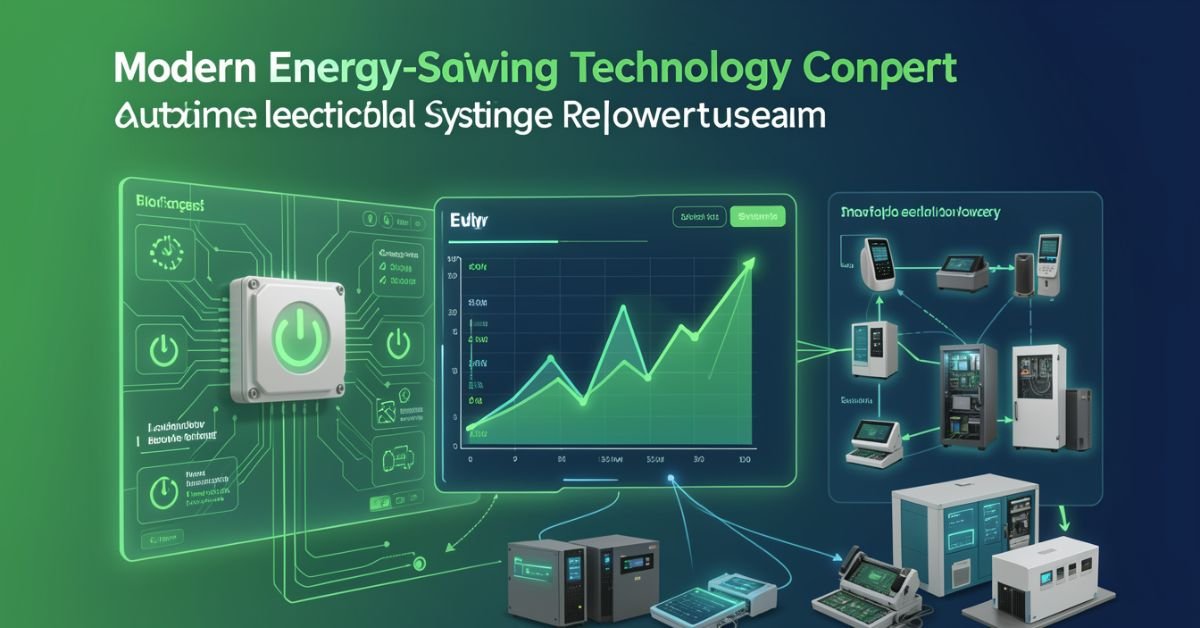
Automatic Power Reduction (APR) is a built-in safety mechanism found in high-power optical amplifiers, most commonly Erbium-Doped Fiber Amplifiers (EDFAs). When APR detects a fiber break or loss of signal (LOS), it immediately cuts the output power down to a safe level typically from an operating range of +20 dBm to +27 dBm down to a safe threshold of around +10 dBm or below. Think of it as the circuit breaker for your optical network.
Once triggered, APR does not simply shut the system down permanently. Instead, it enters an intelligent probing mode: it periodically sends low-power test pulses to check whether the fiber has been repaired. When continuity is restored, the amplifier automatically ramps back up to full operating power all without manual intervention. The full APR cycle can be summarized in three core steps:
- Detect Senses a fiber break or signal loss event in milliseconds.
- Reduce Instantly drops output power to a safe, eye-safe level.
- Probe & Restore Sends periodic low-power pulses and automatically restores full power once the link is repaired.
Why APR is Non-Negotiable: Safety, Compliance, and Cost Savings
Protecting Human Life (Eye Safety)
High-power EDFAs operate at wavelengths around 1550nm light that is completely invisible to the naked eye. This invisibility makes it especially dangerous, as technicians cannot see a live beam or know when they are at risk. Class 3B and Class 4 lasers at these power levels can cause instantaneous, irreversible retinal damage. Standard safety training and protective eyewear reduce risk but cannot replace an automated, millisecond-fast shutdown response. APR provides that automated protection layer, ensuring that even if a connector is accidentally disconnected or a fiber is severed, the laser output is neutralized before a human can be harmed.
Legal and Regulatory Compliance (IEC 60825-1)
APR is not merely a best practice it is mandated by international laser safety standards. The IEC 60825-1 standard governs the safe use of laser products and requires that high-power optical equipment incorporate automatic shutdown or reduction mechanisms. Regional market access certifications such as CE (Europe) and RoHS compliance further reinforce these requirements. For manufacturers and network operators selling or deploying equipment in major global markets, APR compliance is a legal prerequisite. Operating high-power optical amplifiers without APR can expose organizations to liability, regulatory fines, and loss of market certification.
Preventing Hardware Damage and Network Downtime
Beyond human safety, uncontrolled high-power laser output poses a serious threat to network infrastructure itself. When an optical fiber is suddenly cut or disconnected, the unabsorbed laser energy can trigger the “fiber fuse” effect a destructive chain reaction that propagates back through the fiber at high speed, melting connectors, splice points, and even the fiber core itself, particularly in the presence of dust or contamination. The resulting damage is costly and time-consuming to repair, often requiring truck rolls, component replacements, and prolonged network downtime. APR prevents this scenario entirely by cutting power before damage can propagate.
How APR Works: The Intelligent Restart Logic
APR’s true power lies in its intelligent, automated lifecycle management. Under normal operating conditions, the EDFA runs at full output power to meet link budget requirements across long-haul or high-density networks. The moment a loss of signal (LOS) event is detected whether from a physical fiber cut, a connector pull, or a splice failure APR triggers within milliseconds, dropping output power to a safe level.
In this safe mode, the amplifier does not simply wait for a human operator to intervene. Instead, it enters a probing cycle, transmitting periodic low-power pulses at defined intervals. These probe pulses are below the hazardous threshold, making them safe if they emerge from an open connector. When the probe pulse detects that the fiber link has been reconnected or repaired and signal continuity is restored, the amplifier intelligently ramps back up to full operating power. This self-healing behavior significantly reduces mean time to recovery (MTTR) and minimizes the operational burden on network teams.
Key Applications: Where is APR Critical?
Long-Haul and Metro DWDM Networks
Dense Wavelength Division Multiplexing (DWDM) networks rely on chains of high-power EDFAs to carry multiple wavelengths over hundreds or thousands of kilometers. The power levels involved and the frequency of maintenance activities on these spans make APR an essential safety and operational requirement. Any fiber cut or connector swap without APR protection exposes technicians and infrastructure to significant risk.
CATV and FTTx Broadband Networks
Cable TV (CATV) and fiber-to-the-home (FTTx) distribution networks use high-power optical amplifiers to broadcast signals across large subscriber bases. Field technicians in these environments regularly connect and disconnect fiber terminations, making real-time APR protection critical to day-to-day operations. Without APR, a routine connection task becomes a potential eye-safety incident.

Data Center Interconnects (DCI)
In hyperscale data center environments and data center interconnect (DCI) deployments, high-power optical amplifiers enable long-distance, high-bandwidth links between facilities. The high port density and frequent patching activity in these environments mean that an unprotected live port could endanger multiple technicians in rapid succession. APR ensures that any disruption is automatically managed before it becomes a hazard.
Emerging Applications
APR is also becoming increasingly relevant in submarine cable networks, military and aerospace fiber systems, and open line systems (OLS) used in disaggregated optical networking. As laser output powers continue to rise with coherent optics and high-capacity amplification technologies, the role of APR will only grow more critical.
APR vs. APC: Understanding the Critical Difference
One of the most common sources of confusion in optical networking is the distinction between Automatic Power Reduction (APR) and Automatic Power Control (APC). While both acronyms involve power management, they serve entirely different purposes and should never be conflated. The table below clarifies the key differences:
| Feature | Automatic Power Reduction (APR) | Automatic Power Control (APC) |
| Primary Goal | Safety emergency response to failures | Performance maintaining stable signal output |
| When It Activates | Only during a failure event (fiber break, LOS) | Continuously during normal operation |
| Action Taken | Drastically reduces laser output to a safe level | Adjusts pump current to maintain constant output power |
| Best Analogy | Airbag or Circuit Breaker | Cruise Control |
| Impact on Data | Temporary interruption during fault condition | Zero impact transparent to data traffic |
It is worth noting that both features are complementary, not competing. Most high-quality EDFAs from reputable manufacturers incorporate both APC for performance stability and APR for safety. If you are evaluating optical amplifiers and only see APC listed without APR treat this as a red flag.

Choosing a Safety-Compliant Optical Manufacturer
Not all optical amplifiers are created equal when it comes to APR implementation. When evaluating vendors or OEM manufacturers, there are several critical criteria to verify before purchasing high-power optical equipment:
- Verifiable Certifications: Look for documented IEC 60825-1 compliance, CE marking, and RoHS certification. These should be available as downloadable documentation, not just a checkbox on a spec sheet.
- Transparent Testing Data: Reputable manufacturers provide data on APR trigger speed (typically within milliseconds), safe power thresholds, and probe cycle timing all tested in accredited labs.
- Proven Track Record: Seek manufacturers with a history of supplying APR-equipped EDFAs to tier-1 carriers, data center operators, or regulated industries where compliance is audited.
- Field Support and Documentation: Ensure the manufacturer provides clear technical documentation on APR behavior, including how to test APR functionality during scheduled maintenance windows.
When APR is implemented correctly, it should be completely transparent to network operations under normal conditions and a reliable, fast-acting safety net the moment something goes wrong.
Frequently Asked Questions (FAQ) About Automatic Power Reduction
Q1: Will my network stay down if APR activates?
No. APR is designed to minimize downtime. Once the underlying fault such as a severed fiber or disconnected connector is resolved, the APR probing cycle detects the restored link and automatically ramps the amplifier back to full power. For most repair scenarios, the network recovers without any manual operator intervention at the amplifier level.
Q2: Does APR affect network performance or data transmission speed?
Under normal operating conditions, APR has zero impact on network performance. It is a parallel safety circuit that remains dormant until a fault condition is detected. It does not add latency, reduce bandwidth, or interfere with data traffic in any way. The only time APR affects performance is during an actual fault event and in that scenario, the network would be impaired regardless.
Q3: Do all fiber optic modules require APR?
No. APR is specifically required for high-power optical devices classified as Class 3B or Class 4 laser products primarily EDFAs and other optical amplifiers operating at output powers above approximately +10 dBm. Standard SFP transceivers and most passive optical components operate at Class 1 power levels, which are considered inherently eye-safe and do not require APR.
Q4: How fast must APR react to be effective?
Industry standards and IEC 60825-1 guidelines require APR to respond within milliseconds of detecting a fault. This rapid response time is critical because human reaction times are far too slow to prevent injury once a high-power laser is exposed. Manufacturers that meet or exceed these reaction time requirements will typically publish their tested trigger speed in product datasheets.
Q5: Can APR be tested in the field?
Yes, although the methodology varies by manufacturer and equipment type. In controlled environments, APR is typically tested by simulating a fiber break and verifying that the amplifier reduces power within the specified timeframe and then successfully restores power upon reconnection. Some advanced EDFA platforms include built-in diagnostic modes that allow field engineers to verify APR functionality during scheduled maintenance. Always consult the manufacturer’s documentation before attempting field testing.
Q6: What is the difference between APR and Automatic Laser Shutdown (ALS)?
Automatic Laser Shutdown (ALS) and APR are related but distinct. ALS typically refers to a simpler binary on/off shutdown of the laser upon detecting a fault with manual restart required. APR goes further by incorporating the intelligent probe-and-restart logic described above, allowing the system to automatically recover once the fault is cleared. For operational efficiency and reduced maintenance burden, APR with automatic restart is generally preferred over basic ALS implementations.
Conclusion: Make Safety a Standard, Not an Upgrade
Automatic Power Reduction is not an optional extra or a premium feature it is a fundamental safety requirement for any high-power optical amplifier deployed in a real-world network environment. The risks of operating without it are tangible: permanent injury to field technicians, costly hardware damage from the fiber fuse effect, regulatory non-compliance, and potential legal liability.
As laser power levels continue to rise with next-generation coherent optics and high-capacity amplification technologies, the importance of robust, standards-compliant APR implementation will only increase. When sourcing optical amplifiers, always verify IEC 60825-1 compliance, CE and RoHS certification, and documented APR trigger performance before deployment.
The best time to verify your optical infrastructure has proper APR protection is before an incident occurs. Consult with a certified optical networking specialist or contact your EDFA manufacturer directly to confirm compliance and explore APR-equipped solutions tailored to your network’s requirements.

Modern enterprise data centers are complex ecosystems of interdependent services, virtual machines, and applications. As organizations scaled their virtualized workloads through the 2010s, keeping track of which applications communicated with which servers and what would break if a single VM moved or went offline became an increasingly daunting operational challenge.
Manual tracking methods could not keep pace with the dynamic nature of VMware vSphere environments. Infrastructure teams needed a way to automatically discover, visualize, and monitor the dependencies that wove their virtual environments together. This is the problem that vRealize Infrastructure Navigator (vIN) was built to solve.
What is vRealize Infrastructure Navigator (vIN)?
Core Definition and Purpose
vRealize Infrastructure Navigator (commonly abbreviated as vIN) was a VMware solution designed specifically for application dependency mapping and infrastructure discovery within VMware vSphere environments. Deployed as a lightweight virtual appliance and tightly integrated with vCenter Server, vIN gave IT operations teams an automated, real-time map of their virtual infrastructure showing exactly how applications related to one another at the network and service level.
Rather than requiring manual documentation or external monitoring agents, vIN used agentless discovery techniques to automatically detect running services, capture network communication patterns, and build visual dependency maps all from within the familiar vSphere Client interface.
Why Was It a Game-Changer?
Before tools like vIN, understanding application dependencies often meant trawling through outdated network diagrams, chasing down developers for architectural runbooks, or discovering critical dependencies the hard way during a production outage. vIN replaced this guesswork with automated, continuously updated maps that reflected the real state of the environment.
For infrastructure teams managing hundreds or thousands of VMs, the ability to answer ‘What will break if I shut down this VM for patching?’ in seconds rather than hours represented a genuine operational transformation. It accelerated troubleshooting, reduced risk during infrastructure changes, and created an auditable record of the infrastructure’s actual behavior.
Deep Dive: Key Features and Capabilities
Agentless Application Discovery
One of vIN’s defining architectural decisions was its agentless approach to discovery. Rather than requiring software agents on every virtual machine, vIN leveraged VMware’s vCenter APIs and network flow data to passively observe what was running and how services communicated. This meant discovery began immediately after deployment without per-VM configuration, and temporary workloads were captured in the dependency picture automatically.
Automated Dependency Mapping
vIN built and maintained a live graph of application dependencies. Each node represented a virtual machine or service, and the edges between nodes represented observed network communication. Users could drill into any application or VM and see what it depended on and what depended on it. These maps updated automatically as the environment changed new VMs were detected, communication patterns tracked over time, and the dependency graph evolved alongside the actual infrastructure.
Seamless vCenter Integration
vIN integrated directly as a plugin within the vSphere Client, meaning administrators did not need to switch to a separate console. Dependency maps, discovery results, and impact analysis tools were all accessible within the same interface the team already used to manage their VMs. This tight integration also gave vIN direct access to vCenter inventory data VM configurations, host assignments, cluster memberships, and resource pool structures which it overlaid onto dependency maps for rich contextual information.
Proactive Change Impact Analysis
Perhaps the most operationally valuable feature of vIN was its change impact analysis capability. Before making infrastructure modifications such as migrating a VM, decommissioning a server, or performing maintenance on a storage system administrators could query what applications and services would be affected. This proactive visibility dramatically reduced the frequency of outages caused by undocumented dependencies, enabling teams to communicate planned changes to application owners, schedule appropriate maintenance windows, and validate their understanding of the environment before touching production systems.
Compliance and Reporting Capabilities
vIN also served as a documentation and compliance tool. Its automated dependency maps provided auditable records of how applications were connected valuable during audits, disaster recovery planning exercises, and infrastructure reviews. Organizations could export reports capturing the dependency state of their environment at a given point in time, creating a historical record that was impossible to maintain manually at scale.

How vRealize Infrastructure Navigator Worked: A Technical Perspective
The Virtual Appliance Architecture
vIN was distributed as a pre-built virtual appliance (OVA/OVF format) that administrators deployed directly into their vSphere environment. Once powered on and configured with vCenter Server credentials, the appliance registered itself as a vCenter plugin and began the discovery process automatically. The virtual appliance architecture kept the footprint minimal no separate database server, no complex multi-tier installation, no agents to roll out across the environment.
Understanding the Discovery Engine
The discovery engine operated across two primary data collection channels. First, it used VMware’s vSphere APIs to query the vCenter inventory, pulling information about running processes, open network ports, and service states from each VM via the VMware Tools interface. Second, vIN analyzed network flow data to understand actual communication patterns between VMs. By observing which IP addresses and ports were in active communication, it inferred service dependencies even when those dependencies were undocumented. An application signature library helped the engine classify and label recognized service types differentiating a web server from a database server from a message queue.
Data Sources and Collection Methods
For environments with VMware Tools deployed across all VMs, the process-level data was rich and detailed. For VMs without VMware Tools, vIN fell back on network flow analysis alone coarser but still operationally useful. It is worth noting that vIN did not capture application-layer details like specific SQL queries or API call payloads. Its visibility operated at the network and service level, which was appropriate for its primary use cases but meant that deeper application performance monitoring required supplementary tools.
Top Benefits for IT Operations
Accelerated Troubleshooting and Root Cause Analysis
When a service degraded or went offline, the dependency map immediately highlighted the blast radius which upstream and downstream services were likely affected. Rather than manually tracing connections through firewall rules and network diagrams, on-call engineers could identify the probable root cause and its affected dependencies in minutes. This reduction in mean time to resolution (MTTR) was one of the most frequently cited operational benefits of vIN deployments.
Safer and Faster Infrastructure Changes
Infrastructure migrations, server decommissioning, and maintenance windows all became significantly less risky with vIN. Change management teams could perform automated impact assessments, replacing ad hoc interviews and manual dependency audits with reliable, real-time data. This enabled faster change approval cycles while simultaneously reducing the risk of change-related incidents.
Enhanced Capacity Planning and Optimization
Understanding which applications ran on which hosts and how tightly coupled they were gave capacity planners better data for workload distribution decisions. Identifying resource contention, over-provisioned VMs, and consolidation opportunities was easier when the operational relationships between workloads were clearly visible.
Improved Cross-Team Collaboration
Dependency maps served as a shared language between infrastructure teams, application developers, and business stakeholders. A visual representation of how an application was structured and what it depended on could communicate in seconds what would otherwise take pages of documentation to convey facilitating better coordination during data center migrations, disaster recovery drills, and application modernization initiatives.
Primary Use Cases in Real-World Environments
vRealize Infrastructure Navigator found its strongest adoption across several high-value IT scenarios:
- Data Center Consolidation: When merging data centers or reducing footprint, vIN provided the dependency intelligence needed to identify which workloads could be safely co-located or migrated together without disrupting application connectivity.
- Disaster Recovery Planning: DR runbooks require accurate knowledge of application dependencies. vIN’s automated maps could validate and update DR documentation continuously, ensuring recovery procedures reflected the actual environment rather than outdated assumptions.
- Application Modernization: Teams moving from monolithic to microservices architectures used vIN to understand the true scope of legacy application dependencies before beginning refactoring work, avoiding the common pitfall of discovering hidden dependencies mid-project.
- Cloud Migration Readiness: Before lifting and shifting workloads to cloud platforms, migration teams used vIN to identify dependency clusters groups of VMs that needed to move together to preserve application functionality reducing post-migration failures.
- Virtual Machine Auditing: Compliance teams leveraged vIN’s reporting capabilities to audit which VMs were communicating with sensitive systems, supporting security reviews and network segmentation projects.
Understanding the Product Lifecycle: Why Was vIN Discontinued?
Limitations of the Tool
For all its value, vRealize Infrastructure Navigator had meaningful constraints that became more pronounced as the industry evolved. Its scope was strictly limited to VMware vSphere it had no visibility into Hyper-V, KVM, or bare-metal workloads, and it offered no native support for public cloud environments. As hybrid and multi-cloud architectures became mainstream, this single-vendor scope increasingly limited its usefulness.
Accuracy of dependency maps also required ongoing validation. Automated discovery was a powerful starting point, but environments with complex application architectures sometimes required manual corrections to the maps. Application traffic that occurred infrequently or used non-standard ports could be missed or misclassified, meaning human expertise remained an essential complement to the automated tooling.

The Evolution into VMware Aria
VMware’s discontinuation of vIN was not a retreat from the problem it solved it was a deliberate consolidation of dependency mapping and visibility capabilities into more capable, cloud-ready products. The functionality that vIN pioneered was absorbed and substantially extended by VMware Aria Operations (formerly vRealize Operations Manager) and VMware Aria Operations for Networks (formerly vRealize Network Insight, or vRNI).
This transition reflected a broader shift in VMware’s product strategy toward integrated, multi-cloud management platforms. Rather than maintaining a standalone, vSphere-only dependency mapping tool, VMware chose to embed that capability within platforms that could serve modern hybrid and multi-cloud environments. For users of vIN, the path forward pointed clearly toward these successor tools.
vRealize Infrastructure Navigator vs Modern VMware Tools
Introducing the Successors
The two primary successors to vIN’s functionality within the VMware (now Broadcom) portfolio are VMware Aria Operations for Networks and VMware Aria Operations.
VMware Aria Operations for Networks (formerly vRealize Network Insight / vRNI) is the most direct functional successor to vIN. It provides comprehensive network visibility, application dependency mapping, and security analytics across vSphere, VMware NSX, and major public clouds including AWS and Azure. Its AI-driven analytics engine goes substantially beyond vIN’s capabilities.
VMware Aria Operations (formerly vRealize Operations Manager) provides performance management, capacity planning, and infrastructure analytics. While its dependency mapping capabilities are less granular than those of Aria Operations for Networks, it provides broader operational intelligence context that was always complementary to what vIN delivered.
Head-to-Head Comparison: vIN vs VMware Aria Operations for Networks
| Feature | vRealize Infrastructure Navigator (vIN) | VMware Aria Operations for Networks (vRNI) |
| Scope | vSphere environments only | Multi-cloud: vSphere, AWS, Azure, and more |
| Discovery Method | Basic network flow & service detection | Advanced network flow + API integrations |
| Analytics Depth | Basic dependency mapping | AI-driven insights, network path analysis |
| Primary Use Case | Dependency visibility & impact analysis | Network security, troubleshooting & planning |
| Hypervisor Support | VMware only | Multi-hypervisor and multi-cloud |
| Current Status | Discontinued / End-of-Life | Actively developed and supported |
| Deployment | Virtual appliance (vCenter plugin) | SaaS or on-premise virtual appliance |
Which Tool is Right for You Today?
For organizations operating primarily on-premises VMware vSphere environments without hybrid cloud complexity, VMware Aria Operations for Networks provides a straightforward and dramatically more capable replacement for vIN. Its additional depth of visibility justifies the deployment investment.
For teams managing hybrid environments that span on-premises VMware and one or more public clouds, the combination of Aria Operations for Networks and Aria Operations provides a comprehensive management platform that addresses not just the dependency mapping problem vIN solved, but the full spectrum of modern infrastructure visibility requirements.
How to Migrate from vIN to Modern VMware Aria Tools
For organizations still running legacy environments that previously depended on vIN, transitioning to modern tooling is straightforward when approached systematically.
- Assess Your Current Dependency Mapping Needs: Before deploying any new tool, document the specific use cases you relied on vIN for. Were you primarily using it for change impact analysis? DR planning? Migration readiness? This scoping exercise ensures you configure the new tool to serve the same operational needs.
- Deploy VMware Aria Operations for Networks: Deploy the Aria Operations for Networks virtual appliance into your vSphere environment following VMware’s current deployment documentation. The appliance-based deployment model will feel familiar to vIN administrators.
- Integrate with vCenter and Configure Data Sources: Connect the new tool to your vCenter Server and configure any additional data sources NSX Manager, physical switches, or cloud accounts relevant to your environment. The broader your data source configuration, the richer your dependency maps will be.
- Validate and Compare Dependency Maps: Allow the new tool to complete an initial discovery cycle typically 24 to 72 hours for a reasonable baseline then compare the resulting maps against documentation from your previous vIN deployment. Identify any gaps and adjust configurations accordingly.
- Decommission the vIN Virtual Appliance: Once satisfied that the new tool provides equivalent or superior coverage, power down and remove the vIN virtual appliance from inventory. Since vIN no longer receives security patches, prompt decommissioning is recommended from a security hygiene perspective.
Frequently Asked Questions
| Frequently Asked Question | Answer Summary |
| Is vRealize Infrastructure Navigator still available or supported? | No. vIN has been discontinued. VMware (now part of Broadcom) has realigned its portfolio around VMware Aria Operations and Aria Operations for Networks. |
| What is the difference between vIN and vRNI? | vIN focused on basic VM dependency mapping within vSphere. vRNI (Aria Operations for Networks) offers multi-cloud visibility, AI-driven analytics, and deeper network intelligence. |
| How did vIN discover applications without an agent? | It used network flow analysis, process scanning via vCenter APIs, and an application signature library to identify services and map dependencies. |
| Does vIN work with Hyper-V or other hypervisors? | No. vIN was purpose-built for VMware vSphere and did not support other hypervisors. |
| What is the best replacement for vIN on-premises? | VMware Aria Operations for Networks (formerly vRNI) is the recommended successor for dependency mapping and network visibility in VMware environments. |
| Can vIN map dependencies for cloud workloads? | No. vIN was limited to on-premises vSphere workloads. Modern tools like Aria Operations for Networks support hybrid and multi-cloud environments. |
| What were the system requirements for the vIN virtual appliance? | vIN was deployed as an OVA requiring a supported vSphere version with VMware Tools deployed on managed VMs for full discovery accuracy. |
| How much did vRealize Infrastructure Navigator cost? | vIN was typically bundled with VMware management suites rather than sold standalone. It is no longer available for purchase as it has been discontinued. |
Conclusion
vRealize Infrastructure Navigator may be a discontinued product, but the problem it addressed remains as relevant as ever. In any sufficiently complex IT environment, the invisible web of dependencies between applications, services, and infrastructure components represents one of the highest sources of operational risk. Understanding those dependencies automatically, continuously, and accurately is not optional for organizations that take uptime and change management seriously.
vIN’s legacy is the recognition it helped drive within the VMware ecosystem that agentless, automated dependency mapping should be a standard capability, not an afterthought. That philosophy lives on in the richer, more capable tools that succeeded it. For practitioners who worked with vIN, its direct successors in the VMware Aria portfolio will feel conceptually familiar while delivering the multi-cloud reach and analytical depth that the modern IT landscape demands.
Whether your interest in vRealize Infrastructure Navigator is historical understanding the tool that shaped an era of VMware operations or practical finding the right modern replacement the core lesson is unchanged: visibility into application dependencies is foundational to safe, efficient infrastructure management. The tools have evolved; the need has not.

 SCIENCE9 months ago
The Baby Alien Fan Bus Chronicles
- BUSINESS9 months ago
Mastering the Art of Navigating Business Challenges and Risks
- WORLD7 months ago
Money Heist Season 6: Release Date, Cast & Plot
- BUSINESS6 months ago
Top Insights from FintechZoom.com Bitcoin Reports
- BUSINESS9 months ago
Newport News Shipbuilding Furloughs Hit Salaried Workers
- WORLD9 months ago
Rainborne Royals: The Rise of Winged Termites
- WORLD9 months ago
Rainwalkers: The Secret Life of Worms in the Wet
- TECH7 months ago
VK Video Downloader: How to Save Videos Easily