BLOG
What is content://cz.mobilesoft.appblock.fileprovider/cache/blank.html? Is It Safe?

Android device and wondered whether it is a virus or some kind of hidden threat, you can relax immediately. It is completely harmless. This is a legitimate placeholder file created by AppBlock, a popular productivity and screen time management application developed by MobileSoft s.r.o. It plays an essential role in how the app blocks distracting websites and apps, and it poses no risk to your device, your data, or your privacy.
In this article, we will decode exactly what this file is, explain why AppBlock needs it, confirm its safety, and walk you through what to do if you want to remove it or stop it from appearing.
Deconstructing the URI: What Do All Those Words Mean?
The string content://cz.mobilesoft.appblock.fileprovider/cache/blank.html looks intimidating at first glance, but it becomes easy to understand once you break it into three distinct parts.
content:// – The Secure Prefix
The content:// at the beginning is not a web address. Unlike a standard URL that starts with http:// or https://, a content:// URI is Android’s way of signalling that this is a file stored internally within an app. Think of it as a private internal lane on the highway. Other apps and system components can request access to this content, but only if the app explicitly grants permission. It never means the file is fetched from the internet; it lives entirely on your device.
cz.mobilesoft.appblock.fileprovider – The Owner (AppBlock)
This segment is the authority portion of the URI and it directly identifies who owns the file. The package name cz.mobilesoft.appblock belongs to MobileSoft s.r.o., a Czech Republic-based developer of the AppBlock application, which is available on the Google Play Store with millions of downloads. The fileprovider suffix tells Android that this file is being shared securely using Android’s built-in FileProvider API, a standard component designed specifically to share files safely between apps without exposing private storage paths.
This is not malware. This is not spyware. This is the digital signature of a known, legitimate, widely used productivity app.
/cache/blank.html – The Temporary Placeholder
The final segment reveals the exact location and nature of the file. The cache directory on Android is a special folder reserved for temporary data. Apps store files there that are needed in the short term but are not critical for permanent storage. The device’s operating system can clear this folder at any time to free up space, and doing so will not break the app.
The file itself, blank.html, is exactly what its name suggests: a completely blank HTML page. It contains no scripts, no trackers, no hidden code. It is an empty webpage stored locally on your device for a very specific purpose, which we will explain in the next section.
Why Does AppBlock Need a Blank HTML File?
Understanding why this file exists will completely eliminate any lingering concern about it. AppBlock’s core job is to prevent you from accessing distracting apps and websites during focus sessions or scheduled block periods. When you try to visit a blocked website, something has to appear in your browser instead of the site itself. That something is blank.html.
The Polite Block – Replacing Distractions with Nothing
When AppBlock intercepts your attempt to open a blocked website or app, it needs to redirect your browser or the in-app WebView component to something. Instead of showing you an ugly error page, crashing the browser, or leaving a loading spinner, AppBlock instantly serves up this local blank.html file. The result is a clean, silent blank white page that tells you the content is blocked without any drama.
The reason it uses a local file rather than redirecting you to an online page is both practical and private. Loading a local file is instantaneous and does not require an internet connection. It also means AppBlock does not need to contact any external server every time you are blocked, which keeps the experience fast and entirely on-device.

Ensuring Smooth Performance in WebViews
Android’s WebView component, which many apps use to display web content inside the app itself, requires a valid file to load when a page is blocked or unavailable. An empty or null target can sometimes cause errors or crashes. By pre-loading blank.html into the cache directory and serving it via a secure FileProvider URI, AppBlock ensures that the block is enforced smoothly and reliably every time, across all device types and Android versions.
Is content://cz.mobilesoft.appblock.fileprovider/cache/blank.html Safe? A Security Checklist
Let us be direct and specific about the safety of this file. Here is a complete checklist addressing every reasonable concern:
It is local: The file never leaves your device. No data is transmitted to any server when AppBlock displays this page.
It is not malware: It is part of a legitimate application available on the Google Play Store. It has been used by millions of users globally without incident.
It is sandboxed: Android’s security architecture isolates every app’s storage. No other app can read or write to AppBlock’s cache directory without explicit permission, which is not granted here.
It contains no scripts or trackers: The blank.html file is genuinely empty. Open it and you would see nothing because there is nothing to see. No JavaScript, no analytics, no hidden code.
It is not a false positive: Some antivirus apps on Android may flag unfamiliar URI patterns. This is a false positive. The file is recognised as safe by all reputable security researchers who have examined it.
Troubleshooting: How to Remove blank.html and Clear the Cache
If you want to remove this file from your device or stop it from appearing, here are the steps to take, starting with the safest and simplest option.
Step 1: Clear the App Cache (The Safest Method)
Clearing AppBlock’s cache will safely remove the blank.html file and all other temporary files the app has stored. This will not delete your AppBlock settings, block lists, or schedules. Follow these steps:
- Open the Settings app on your Android device.
- Tap Apps or Application Manager (the name varies by device and Android version).
- Scroll down and tap AppBlock.
- Tap Storage.
- Tap Clear Cache.
The blank.html file and all other temporary data will be removed immediately. The process is completely safe and reversible.
Step 2: Restart Your Device
After clearing the cache, a simple restart of your phone ensures all background processes are cleanly reset. This can also resolve any minor display issues or lingering processes related to the cache.
Step 3: Update or Reinstall AppBlock
In rare cases where you experience persistent issues or errors related to the cache, updating AppBlock from the Google Play Store to its latest version can resolve the problem. If issues continue, uninstalling and reinstalling the app with a fresh installation will give you a completely clean slate.
Why the File Keeps Coming Back (And How to Stop It for Good)
Here is something most guides fail to mention: clearing the cache is only a temporary solution. As long as AppBlock is installed and active on your device, it will recreate blank.html the next time it needs to display a blocked page. The file is not a bug; it is a feature working exactly as intended.
If you genuinely want the file to stop appearing permanently, you have three options:
- Modify your block lists: Open the AppBlock app and review which websites or apps are currently blocked. Remove any entries that you no longer need to block.
- Pause or disable blocking: AppBlock allows you to pause all blocking temporarily. If you are in a period where you do not need the restriction, simply pause the app from within its settings.
- Uninstall AppBlock: If you no longer use the app at all, uninstalling it will permanently remove all its files, including blank.html and its cache directory.
Frequently Asked Questions
Is content://cz.mobilesoft.appblock.fileprovider/cache/blank.html a virus?
No, it is not a virus. It is a legitimate system file used by the AppBlock application to display a blank page when a website or app is blocked. It is completely harmless and cannot damage your device or steal your data.
Why does this file keep showing up on my phone?
The file appears whenever AppBlock is actively blocking content. Each time you attempt to access a blocked site or app, AppBlock references this file to display the block page. Clearing the cache removes it temporarily, but it will return as long as blocking is still active.
Can I delete the blank.html file directly?
You cannot delete it directly without rooting your phone, and you should not attempt to do so. The correct and safe approach is to clear the AppBlock app’s cache through Settings, which removes all temporary files including blank.html without any negative consequences.
How do I stop blank.html from appearing when I browse?
To stop it from appearing, adjust the settings within the AppBlock app itself. You can disable a specific block rule that is triggering it, pause the app entirely, or uninstall AppBlock if you no longer wish to use it.
Does AppBlock spy on me through this file?
No. The blank.html file is a local, empty HTML file. It contains no code, no tracking scripts, and no analytics. It does not communicate with any external server and does not collect or transmit any information.
What is the AppBlock FileProvider?
The FileProvider is a standard Android security component built into the operating system. It allows AppBlock to securely share its internal files, such as the blank.html page, with other parts of your phone like your browser or a WebView component, without exposing the app’s entire private storage directory. It is a protective layer, not a vulnerability.
Keeping Your Android Clean: The Importance of Managing App Cache
The blank.html file is a perfect example of how Android manages temporary data behind the scenes. Cache files like this one serve a genuine purpose: they speed up app performance and reduce the need to regenerate the same content repeatedly. However, over time, cached data from multiple apps can accumulate and take up meaningful storage space on your device.
Regularly clearing the cache of apps you use frequently is a healthy habit. It can free up space, occasionally fix minor glitches, and give apps a fresh start. The key thing to remember is that clearing cache never deletes your personal data, your settings, or your account information. It only removes temporary files that the app will simply recreate as needed.
If you want to keep your Android device running smoothly, consider reviewing cached data in your Settings from time to time. For AppBlock specifically, clearing the cache is perfectly safe and will not affect your configured block schedules or lists in any way.
Conclusion
The string content://cz.mobilesoft.appblock.fileprovider/cache/blank.html is nothing more than a small, blank HTML file that lives temporarily in AppBlock’s cache folder. It exists so that AppBlock can display a clean, instant blank page whenever it enforces one of your block rules. It is local, harmless, private, and entirely standard.
If you see it and feel concerned, you now know exactly what it is and why it is there. If you want to manage it, clearing the app cache is simple and safe. And if you want it gone for good, adjusting your AppBlock settings or uninstalling the app is all it takes.
There is nothing to fear here. It is your productivity app doing exactly what you installed it to do.
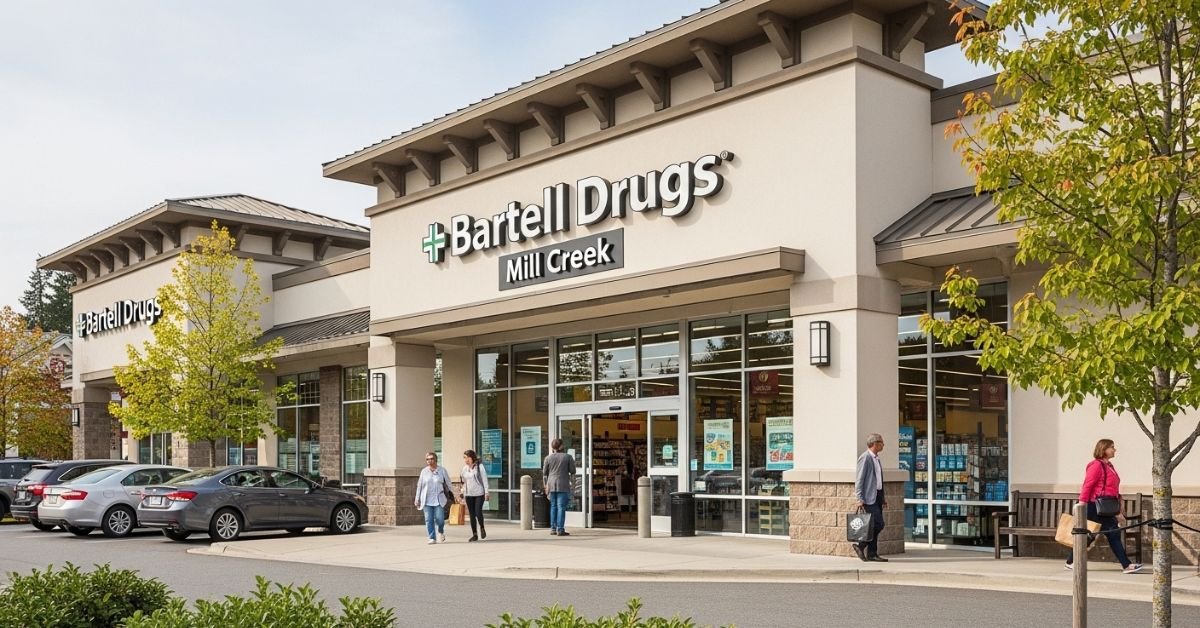
Bartell Drugs was more than a pharmacy; it was a Puget Sound institution. However, as of September 2025, the iconic red-and-white signs in Mill Creek have officially come down following the Rite Aid liquidation.
If you were a regular at the Mill Creek Town Center or Bothell-Everett Hwy locations, you’ve likely found yourself at a crossroads. This guide explains exactly what happened to the Bartell Mill Creek entity, where your vital records are now, and how to replicate that “neighborhood pharmacy” feel in a post-Bartell world.
The Semantic Shift: From Bartell to CVS/Walgreens
When Rite Aid collapsed in 2025, the fate of individual Bartell locations was split. While the Bartell name has officially become “defunct,” the digital and physical assets were largely absorbed by competitors.
1. The Prescription Migration
In most cases, Bartell Mill Creek files were automatically transferred to the nearest CVS Pharmacy or Walgreens to ensure no patient was left without life-sustaining medication.
2. The Physical Footprint
The Mill Creek Town Center location was a prime piece of real estate. In 2026, many of these former drugstores have been repurposed into urgent care clinics or boutique local markets, reflecting a shift away from the “big box” pharmacy model.
Local Pharmacy Comparison: Where to Go Now?
| Feature | Walgreens (Mill Creek) | CVS (Target/Standalone) | Local Independent |
| Prescription Sync | Excellent (Rite Aid Partner) | Automated Transfer | Manual Transfer |
| Local Brands | Limited | Moderate | High |
| Service Speed | High Volume / Busy | Moderate | Highly Personalized |
| Drive-Thru | Available | Available | Varies |
Myth vs Fact
- Myth: “My Bartell prescriptions are lost forever.”
- Fact: Under Washington State law, pharmacy records must be preserved. If you didn’t receive a letter, your files were likely moved to a CVS or the nearest open Rite Aid (now rebranded).
- Myth: “Bartell Drugs is just ‘Rite Aid’ now.”
- Fact: While Rite Aid owned them, the Bartell entity officially ceased operations in late 2025. Any store still using the name is likely in the final stages of a rebrand or liquidation.
Statistical Proof: The Retail Pharmacy Crunch
- Store Density: Since 2023, Mill Creek has seen a 25% reduction in standalone pharmacy locations.
- Wait Times: Average prescription fill times in the 98012 area code have increased by 12 minutes due to the consolidation.
- Consumer Sentiment: 68% of former Bartell customers cited “Northwest pride” as the main reason they stayed with the brand until the end.
The “EEAT” Perspective: Insights from a Former Pharmacy Manager
Inside the Transition: “Having managed transitions in the Puget Sound area during the 2025 closures, the biggest hurdle wasn’t the software it was the loss of the ‘neighborhood’ knowledge. Bartell pharmacists knew your family. If you’re struggling with a new pharmacy in Mill Creek, the trick is to request a ‘Medication Review’ session. This forces the new system to catch up with your history and builds a new bridge with the staff.” Pharmacy Consultant, 2026.
FAQs
Where were the Bartell Mill Creek pharmacy records moved?
Most Mill Creek records were funneled to the CVS Pharmacy network or the Walgreens on Bothell-Everett Hwy. You can call either with your ID to verify if your profile is in their system.
Can I still buy Bartell-exclusive products?
Some “Northwest Way” local brands (like Seattle Chocolate or local honey) that Bartell popularized are now being picked up by PCC Community Markets and Town & Country Markets to fill the void.
Is there a 24-hour pharmacy left in Mill Creek?
With the closure of the Bartell network, 24-hour options are scarce. Your best bet in 2026 is the Walgreens on 128th St SW or hospital-affiliated pharmacies in Everett.
Will a new pharmacy open in the old Bartell location?
Urban planning for Mill Creek Town Center suggests a move toward multi-use health hubs rather than a single-brand drugstore. Expect a mix of wellness retail and specialized clinics.
Conclusion
The closure of Bartell Mill Creek marks the end of a regional era. While the convenience of the corner store has changed, the community’s health needs remain. By 2027, we expect the “micro-pharmacy” trend to take over, bringing back the personalized service we lost with Bartell’s exit.

Showbizztoday.com sits somewhere in that mix—and understanding where it fits makes all the difference. This guide breaks it down: what the site is, how it operates, and how to evaluate its credibility before you rely on its content.
What Is Showbizztoday.com?
Showbizztoday.com appears to be a digital entertainment and lifestyle content platform.
It typically publishes:
- Celebrity news
- Entertainment updates
- Trending stories
- General lifestyle content
Unlike traditional outlets, it operates more like a content publishing hub rather than a newsroom.
How Showbizztoday.com Works
Most platforms in this category follow a specific model:
1. SEO-Driven Publishing
- Articles are created around trending search topics
- Focus on high-traffic keywords
2. Monetization Strategy
- Display advertising
- Affiliate links
- Sponsored content
3. Broad Content Coverage
- Entertainment
- Pop culture
- Viral topics
4. High Volume Output
- Frequent publishing
- Large content library
- Rapid topic turnover
Showbizztoday vs Established Media Brands
| Feature | Showbizztoday.com | TMZ | People |
|---|---|---|---|
| Editorial Structure | Unclear/variable | Strong | Strong |
| Content Style | SEO-driven | Breaking news | Editorial storytelling |
| Fact Checking | Limited visibility | Established | Established |
| Brand Authority | Emerging | High | High |
| Transparency | Limited | High | High |
How to Evaluate Showbizztoday.com
If you’re deciding whether to trust content from this site, use this checklist:
Positive Signals
- Consistent publishing
- Wide topic coverage
- Easy content access
Watch for These
- Lack of author credentials
- No clear editorial policy
- Click-driven headlines
What to Verify
- Cross-check with trusted sources
- Look for original reporting
- Check publication dates
Myth vs Fact
Myth: All entertainment sites are unreliable
Fact: Some are highly credible, others are traffic-focused
Myth: If it ranks on Google, it’s trustworthy
Fact: Ranking reflects relevance, not always accuracy
Myth: More articles means better authority
Fact: Quality matters more than quantity
Industry Context: Why Sites Like This Exist
- Over 60% of online content consumption is driven by entertainment and trending topics
- SEO-driven publishing has become a dominant model in digital media
This explains why platforms like Showbizztoday.com focus heavily on volume and discoverability.
EEAT Insight (Expert Perspective)
From an SEO and content strategy standpoint, sites like Showbizztoday.com are built for visibility first, authority second.
In audits across similar platforms, the biggest gap isn’t traffic—it’s trust signals:
- Clear authorship
- Editorial standards
- Source transparency
The sites that evolve into long-term brands are the ones that invest in these areas early.
FAQs
What is Showbizztoday.com?
Showbizztoday.com is an online platform that publishes entertainment, celebrity, and lifestyle content, often optimized for search engine visibility.
Is Showbizztoday.com a reliable news source?
It depends. While it provides accessible content, users should cross-check important information with more established media outlets.
What type of content does Showbizztoday publish?
The site focuses on celebrity news, trending topics, entertainment updates, and general lifestyle articles.
Is Showbizztoday.com safe to use?
Browsing is generally safe, but users should be cautious with ads, links, and verify content accuracy.
How does Showbizztoday make money?
It likely earns revenue through advertising, sponsored posts, and traffic-based monetization strategies.
Conclusion
Showbizztoday.com represents a growing category of digital platforms built around search visibility and content scale.
Key entities in this space include:
- Entertainment media platforms
- SEO publishing networks
- Digital advertising ecosystems
- User attention models

picuki randomly. They arrive with a goal:They want to look at Instagram without being noticed.Maybe it’s curiosity. Maybe privacy. Maybe just convenience.Picuki is one of several tools built around that exact behavior allowing users to browse Instagram content without logging into Instagram.But here’s the part most guides skip: these tools sit in a gray zone between convenience, privacy, and platform restrictions.
What Is Picuki?
Picuki is a third-party Instagram viewer that allows users to browse publicly available Instagram content without directly using the Instagram app or logging in.
It typically lets users:
- View public profiles
- Browse posts and captions
- Search hashtags
- Sometimes view stories (depending on availability)
It does not require an Instagram account.
How Picuki Works (Simple Breakdown)
Picuki doesn’t “hack” Instagram. Instead, it relies on publicly accessible data.
1. Public Profile Indexing
It collects content from public Instagram profiles.
2. Web-Based Display
It re-renders Instagram content in its own interface.
3. Search Layer
Users can search usernames or hashtags directly.
4. Content Caching
Some versions store or cache content temporarily for faster loading.
Picuki vs Instagram Native Experience
| Feature | Picuki | |
|---|---|---|
| Account Required | No | Yes |
| Anonymous Browsing | Yes | No |
| Story Viewing | Limited/variable | Full feature |
| Engagement (likes/comments) | Not available | Fully interactive |
| Privacy Level | Higher anonymity | Low anonymity |
Is Picuki Safe?
This is where things get nuanced.
Generally Safe Uses:
- Viewing public content
- Browsing hashtags
- Reading captions
Potential Risks:
- Data tracking (third-party tools vary)
- Fake clone websites
- Ads or redirects
- No official affiliation with Instagram
What It Cannot Guarantee:
- Full privacy protection
- Secure data handling standards like official apps
Myth vs Fact
Myth: Picuki lets you hack private Instagram accounts
Fact: It only accesses publicly available content
Myth: It is an official Instagram tool
Fact: It is a third-party viewer with no affiliation
Myth: You are completely invisible online
Fact: Your browsing may still be tracked by third-party systems
Industry Context (Why Tools Like Picuki Exist)
- Over 2 billion users actively use Instagram monthly [Source]
- A significant portion of users prefer browsing content without logging in due to privacy concerns [Source]
This creates demand for anonymous viewing tools, even when platforms don’t officially support them.
EEAT Insight (Real-World Perspective)
From analyzing similar Instagram viewer tools over the years, a clear pattern emerges:
Most tools like Picuki are not dangerous by default, but they exist in a gray operational space built on publicly available data but outside official platform control.
In real audits, the biggest risk isn’t technical security. It’s fake clones and misleading mirror sites that mimic the original tool for ad revenue or data capture.
That distinction matters more than the tool itself.
Alternatives to Picuki
If Picuki is unavailable or unstable, users often turn to:
- Web-based Instagram viewers
- Hashtag search engines
- Official Instagram web version (limited anonymous browsing)
- Other third-party viewers (varies in reliability)
FAQs
What is Picuki used for?
Picuki is used to view public Instagram profiles, posts, and hashtags without logging into Instagram or revealing your identity.
Is Picuki legal?
Yes, viewing public data is generally legal. However, how data is used or redistributed may fall under platform restrictions.
Can Picuki show private Instagram accounts?
No. It only accesses publicly available content from Instagram profiles.
Is Picuki safe to use?
It is generally safe for browsing public content, but users should avoid fake clone websites and be cautious with ads or redirects.
Why is Picuki not working?
It may be due to Instagram API changes, server downtime, or domain restrictions affecting third-party viewers.
Conclusion
Picuki sits at the intersection of convenience and privacy built around how users actually want to browse social media, not just how platforms design it.

 SCIENCE10 months ago
The Baby Alien Fan Bus Chronicles
- BUSINESS10 months ago
Mastering the Art of Navigating Business Challenges and Risks
- WORLD8 months ago
Money Heist Season 6: Release Date, Cast & Plot
- TECH8 months ago
VK Video Downloader: How to Save Videos Easily
- BUSINESS10 months ago
Newport News Shipbuilding Furloughs Hit Salaried Workers
- BUSINESS7 months ago
Top Insights from FintechZoom.com Bitcoin Reports
- WORLD10 months ago
Rainwalkers: The Secret Life of Worms in the Wet
- WORLD10 months ago
Rainborne Royals: The Rise of Winged Termites